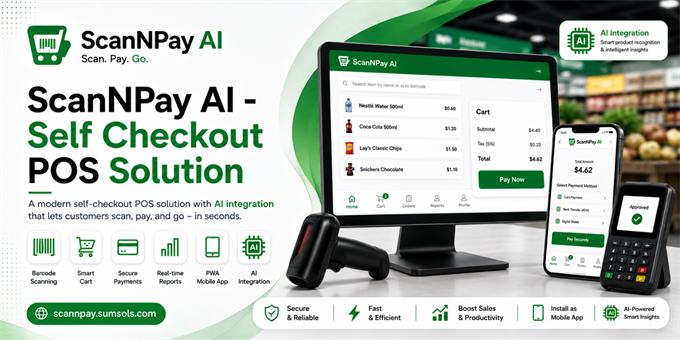
ScanNPay is a complete, ready-to-deploy self-checkout Point of Sale (POS) system. Customers scan barcodes, build a cart, and pay securely through Cardknox (credit card & ACH) - while admins manage the full catalog, orders, and users from a protected dashboard.
ScanNPay also includes a built-in AI Assistant that answers product questions for shoppers, and live sales, order, and catalog questions for signed-in admins - every answer is looked up from real data, never guessed.
The app is fully PWA-ready: installable on phone, tablet, or desktop directly from the browser, with offline support built in.
Who is this for
- Retail stores that want a fast, self-service checkout counter
- Developers and agencies building a custom POS for a client
- Anyone who needs a Laravel starter with barcode scanning and Cardknox payments already wired up.
Live Demo: https://scannpay.sumsols.com/
Landing Page: https://scannpay-landing-page.sumsols.com/
Full Documentation: https://scannpay-documentation.sumsols.com/
User Documentation: https://scannpay-user-documentation.sumsols.com/
Demo Email: admin@example.com
Demo Password: password
Features
- Self-checkout with camera or manual barcode scanning
- Live shopping cart with real-time totals
- Cardknox payment gateway - credit card, ACH & tap-to-pay
- Admin dashboard for items, categories, units, orders & users
- Barcode label generation, printing & downloading
- Built-in AI Assistant for product and admin queries
- Progressive Web App - installable on any device
- Offline-ready service worker with fallback page
- CSV/PDF export for inventory
- Full System Guide + User Guide documentation included
- Clean, well-commented Laravel 12 codebase
- Instant demo data seeder for quick testing
Requirements
- PHP ^8.2 (with mbstring, pdo, gd, curl, fileinfo extensions)
- Composer 2.x
- MySQL 5.x / 8.x
- Node.js 18+ and npm 9+
- A Cardknox merchant account (for payments)
- A Groq API key - optional, only needed for the AI Assistant, free at console.groq.com
Instructions
- composer install
- npm install
- cp .env.example .env
- php artisan key:generate
- Edit .env - set your database, Cardknox, and (optional) Groq credentials
- php artisan migrate --seed
- npm run build
- php artisan serve
Default admin login after install: admin / admin@example.com — password: password (change it immediately).
Full step-by-step installation, database setup, configuration, and deployment guide is included in the documentation (links above).