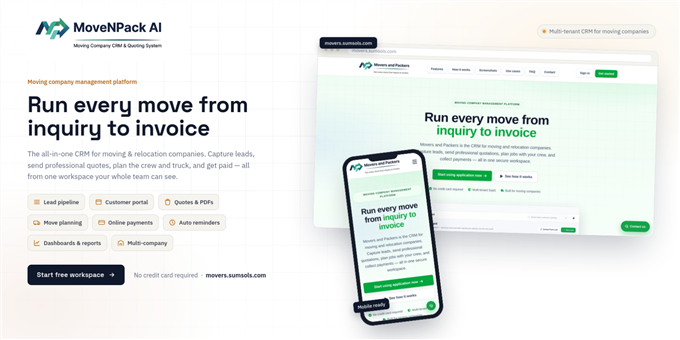
MoveNPack AI is a full-featured, multi-tenant SaaS CRM built specifically for moving and packing companies. It manages the complete moving job lifecycle — from lead capture and customer communication to quotations, move planning, payments, and completion reporting.
Each company operates in its own isolated workspace, with a platform administrator overseeing all tenants — making it ideal for reselling as a white-label moving company software or SaaS product.
Who is this for?
Moving companies, packers & movers businesses, relocation agencies, and SaaS entrepreneurs looking to launch a moving/logistics booking platform.
Built with: Next.js 16, React 19, Tailwind CSS v4, Prisma, and Google Gemini AI — a modern, production-ready tech stack.
Live Demo:
https://movers.sumsols.com
Demo Credentials:
- Platform Admin — Email:
admin@admin.com| Password:123456 - Company Admin — Email:
company@web.com| Password:123456
Documentation
- User Guide: https://moves-user-docs.sumsols.com
- Complete Documentation: https://movers-docs.sumsols.com
Features:
- Lead capture via public contact forms & manual entry
- Customer self-service portal (requirements, quotes, surveys, payments)
- Multi-step quotation & negotiation workflow
- AI-powered assistant (Google Gemini integration)
- Survey scheduling & move planning
- Stripe payment integration with partial/advance payments
- Auto-generated PDF quotations, move plans & invoices
- Customizable email notification templates
- Multi-tenant company management with isolated data
- Platform Admin panel for managing all companies/users
- Interactive calendar view for scheduled moves
- Dashboard with reports & analytics
- Real-time activity feed & global search
- Role-based access control (Platform Admin / Company Admin)
- Automated cron-based reminder emails
Requirements:
- Node.js 18+
- MySQL database
- SMTP server (for email notifications)
- Stripe account (for payments)
- Google reCAPTCHA keys (for form protection)
- Google Gemini API key (for AI assistant features)
Installation Instructions:
- Extract the downloaded .zip file and open the project folder.
- Install dependencies:
<code>npm install</code>
- Copy
example.envto.envand fill in your values:<code>DATABASE_URL, JWT_SECRET, CRON_SECRET, SMTP_HOST, SMTP_PORT, SMTP_USER, SMTP_PASS, GEMINI_API, NEXT_PUBLIC_GOOGLE_CLOUD_SITE_KEY, GOOGLE_CLOUD_SECRET_KEY</code>
- Create a MySQL database and set its connection string as
DATABASE_URLin.env. - Run database migrations:
<code>npx prisma migrate deploy
npx prisma generate</code>
- Start the development server:
<code>npm run dev</code>
or build for production:<code>npm run build npm run start</code>
- Open
http://localhost:3000, sign up as a company, or use the demo credentials to explore.
For full setup details, see the Complete Documentation.