Transform Website Visitors Into Qualified Leads with Viral Micro-Quizzes
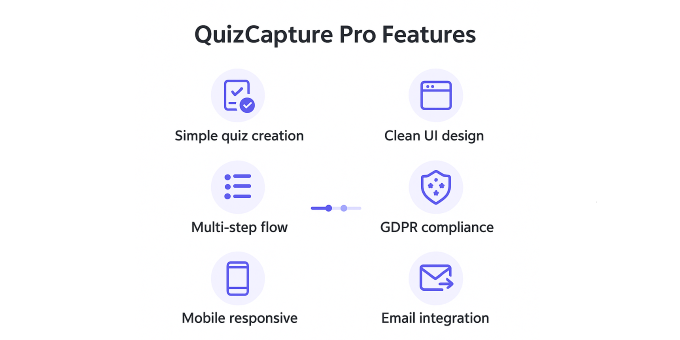
Stop losing potential customers to boring contact forms. QuizCapture Pro creates irresistible 3-5 question quizzes that capture emails while visitors engage with your brand.
? Proven Lead Generation Results
-
500% higher conversion rates than traditional opt-in forms
-
BuzzFeed-style viral mechanics for organic traffic growth
-
Instant email capture with engaging quiz experiences
-
GDPR-compliant data collection with privacy controls
⚡ Professional Features
-
Mailchimp integration - Seamless list building
-
Social sharing built-in - Amplify reach organically
-
Mobile-responsive - Perfect on all devices
-
Custom branding - Match your brand identity
-
Analytics dashboard - Track and optimize performance
? Enterprise Security
-
XSS protection and SQL injection prevention
-
Nonce verification for secure submissions
-
Privacy-by-design architecture
? Easy Setup & Support
-
5-minute installation with documentation
-
Premium email support
-
Lifetime updates guaranteed
Perfect for digital marketers, content creators, SaaS companies, and e-commerce stores building engaged email lists for higher conversions.
Requirements
WordPress Requirements
- WordPress: 5.0 or higher (6.0+ recommended)
- PHP: 7.4 or higher (PHP 8.0+ recommended)
- MySQL: 5.6 or MariaDB 10.1 or higher
- Memory: Minimum 64MB PHP memory limit (128MB recommended)
Server Requirements
- SSL certificate (recommended for secure data transmission)
- Modern web browser support (Chrome, Firefox, Safari, Edge)
- HTTPS enabled (recommended)
Optional Integration Requirements
- Mailchimp: Active Mailchimp account and API key for email integration
- Caching: Compatible with WP Rocket, W3 Total Cache, and other caching plugins
Compatibility
- Compatible with any well-coded WordPress theme
- No conflicts with major plugins (WooCommerce, Yoast SEO, Contact Form 7)
- Works with popular page builders
Instructions
Installation
- Upload the plugin files to
/wp-content/plugins/quiz-to-email-micro/ - Activate the plugin through the 'Plugins' menu in WordPress
- Navigate to 'Quiz-to-Email' in your WordPress admin menu
Basic Setup
- Enable Quiz: Toggle the quiz on/off in settings
- Set Title: Choose an engaging quiz title
- Add Questions: Format as
Question?|Option A|Option B|Option C - Configure Integration: Choose WordPress Users, Mailchimp, or CSV only
- Customize Colors: Match your brand with custom color schemes
- Set Call-to-Action: Configure success page messaging
Display Quiz
Use the shortcode [quiz_to_email] on any page, post, or widget area where you want the quiz to appear.
Mailchimp Setup (Optional)
- Get your Mailchimp API key from your account settings
- Enter API key in plugin settings
- Select your audience/list
- Configure any additional tags or segments
Example Quiz Questions
What describes you best?|Founder|Marketer|Engineer
What do you want more of?|Case studies|Tutorials|News
What's your biggest challenge?|Traffic|Conversions|Content
Customization
Customize colors, fonts, and styling through the admin interface or by adding custom CSS using the provided CSS classes and variables.