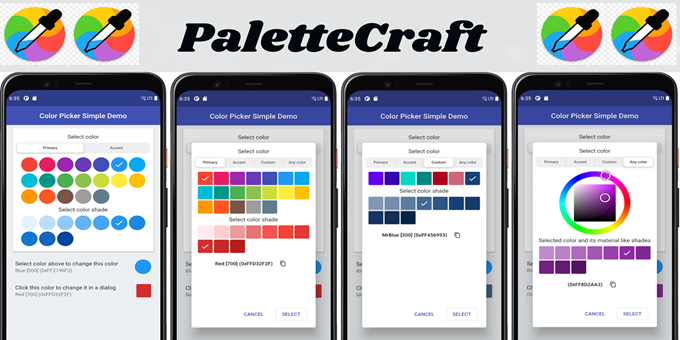
ColorPalette Pro is a modern, visually appealing, and user-friendly PHP script designed to help users explore beautiful color palettes and discover attractive color combinations for their creative projects. Featuring an organized layout, colorful palette cards, and simple interactive controls, this application makes color exploration convenient for designers, developers, and creative professionals.
Whether you are designing a website, developing a user interface, creating brand identities, or working on digital graphics, ColorPalette Pro provides a practical way to browse different shades and find color inspiration. Its clean interface and responsive layout offer a convenient experience across desktop, tablet, and mobile devices.
2. Key Features
-
Multiple Color Palettes: Explore a collection of visually appealing color palettes for different design needs.
-
Custom Palette Quantity: Adjust the number of palettes displayed using the available quantity selector.
-
Generate Color Palettes: Refresh the displayed collection to explore different color combinations.
-
Organized Color Shades: View multiple shades arranged in structured palette cards.
-
Modern User Interface: Enjoy a clean layout with rounded color blocks and visually clear controls.
-
Reset Functionality: Restore the palette display using the reset button.
-
Responsive Design: Access the application on desktop computers, tablets, and mobile devices.
-
Interactive Controls: Use simple buttons and selection options to manage the palette display.
-
Color Inspiration: Explore different tones and shades for creative design projects.
-
Web Design Compatibility: Find color references for websites, landing pages, and application interfaces.
-
Easy Navigation: Explore the interface without complicated menus or unnecessary steps.
-
PHP-Based Application: Run the script on a compatible PHP hosting environment.
3. Main Functionality
ColorPalette Pro focuses on presenting attractive color combinations in an organized and easy-to-browse format. Each palette contains multiple color shades displayed as individual blocks, allowing users to compare different tones visually.
The quantity selector allows users to choose the number of palettes to display within the supported range. The Generate button refreshes the displayed collection, while the Reset button provides a convenient way to restore the palette display.
The interface is designed to make discovering and comparing color combinations straightforward for users with different levels of design experience.
4. How to Use
Step 1: Access the Application
Open ColorPalette Pro through your browser after installing the script on a compatible PHP hosting server.
Step 2: Select the Number of Palettes
Locate the palette quantity selector and choose the number of palettes you want to display, subject to the available settings.
Step 3: Explore Available Color Combinations
Browse the palette cards and examine the different shades arranged within each collection.
Step 4: Generate New Palettes
Click the Generate button to refresh the displayed palettes and explore additional color combinations.
Step 5: Compare Color Shades
Review the different tones and identify combinations that match your project's visual style, branding, or design requirements.
Step 6: Reset the Display
Click the Reset button whenever you want to restore the palette display to its initial state.
Step 7: Apply Colors to Your Project
Use your preferred colors as references when designing websites, application interfaces, logos, marketing materials, presentations, or digital artwork.
5. Who Can Use This Script?
ColorPalette Pro is suitable for a wide range of users, including:
-
Web designers looking for attractive website color schemes.
-
UI/UX designers developing consistent user interfaces.
-
Front-end developers selecting colors for websites and applications.
-
Graphic designers working on digital graphics and visual content.
-
Branding professionals exploring colors for brand identities.
-
Students learning about color combinations and design principles.
-
Digital artists seeking creative color inspiration.
-
Website owners looking to improve their site's visual appearance.
-
Freelancers working on client design projects.
-
Creative professionals who regularly work with colors.
6. Best Use Cases
Website Design
Explore suitable color combinations for websites, landing pages, portfolios, blogs, and business websites.
UI/UX Design
Find complementary shades for buttons, backgrounds, navigation menus, cards, and other interface elements.
Branding and Identity
Discover color inspiration for logos, brand materials, promotional graphics, and business presentations.
Graphic Design
Explore different color combinations for posters, banners, social media graphics, and digital artwork.
Application Development
Use palette references when planning the visual appearance of web applications, dashboards, and mobile interfaces.
Educational Projects
Help students and beginners understand how different shades and tones can influence a design.
7. Benefits of Using ColorPalette Pro
Save Time
Browse organized color palettes instead of manually searching for every possible color combination.
Discover Creative Ideas
Explore a variety of shades and tones to find inspiration for new projects.
Simplify Color Selection
Compare multiple colors visually through an organized palette layout.
Improve Design Consistency
Use related shades as references when creating a consistent visual style across different design elements.
Support Multiple Creative Projects
Use the displayed palettes as inspiration for web development, graphic design, branding, and digital content creation.
Enjoy a Simple Workflow
Access the main palette controls through a straightforward interface designed for convenient use.
8. User Interface and Design
ColorPalette Pro features a colorful interface with organized palette cards, rounded color blocks, and clearly visible action buttons. The layout emphasizes visual presentation, allowing users to focus on comparing colors rather than navigating complicated menus.
The palette quantity selector and Generate and Reset buttons provide convenient controls for managing the displayed collection. The responsive layout is intended to make the interface accessible across different screen sizes.
9. Technical Requirements
To install and run ColorPalette Pro, your hosting environment should meet the following general requirements:
-
A web server such as Apache or Nginx.
-
A PHP-supported hosting environment with a version compatible with the script.
-
A modern web browser.
-
JavaScript enabled for interactive front-end features.
-
HTML5 and CSS3 support in the browser.
-
Appropriate file permissions for the application files.
A MySQL database is only required if the supplied version of the script uses database functionality. Check the included files and documentation for the exact PHP version and any additional dependencies.
10. Browser Compatibility
The application is intended for modern web browsers that support standard web technologies, including:
-
Google Chrome
-
Mozilla Firefox
-
Microsoft Edge
-
Apple Safari
The actual browser compatibility may depend on the included front-end code and the browser version.
11. Installation Guide
Step 1: Download and Extract
Download the product package and extract the ZIP archive to your computer.
Step 2: Review the Files
Locate the main PHP entry file, stylesheets, JavaScript files, assets, and any supplied configuration or documentation files.
Step 3: Prepare Your Hosting
Choose a hosting environment that supports the PHP version required by the script.
Step 4: Upload the Application
Upload the extracted application files to your website's document root or the directory where you want the application to run.
Step 5: Configure the Application
If the package includes a configuration file or database setup instructions, follow the supplied documentation to complete the required settings.
Step 6: Open the Application
Visit the appropriate website URL in your browser to load the application.
Step 7: Test the Features
Verify the palette quantity selector, Generate button, Reset button, responsive layout, and other included functionality.
Step 8: Publish Your Application
Once everything works correctly, make the application available to your intended users.